







Microsoft is once again rethinking one of the most recognizable parts of Windows. The Start Menu has always been the heart of the operating system, and with Windows 11, it already went through a major visual shift. Now, the company is quietly testing another redesign that could change how millions of users interact with their PCs every day.
If you have used Windows for years, you know how sensitive changes to the Start Menu can be. Some users prefer familiarity, while others welcome fresh design ideas. This new update seems to be Microsoft’s attempt to balance both. It focuses on simplicity, smarter organization, and a more personalized experience without overwhelming users.
Let’s break down what is changing, why it matters, and how it could impact your daily workflow.
Why Microsoft Is Redesigning the Start Menu Again

The current Windows 11 Start Menu introduced a centered layout, pinned apps, and a simplified look. While visually clean, it received mixed reactions. Many users felt it lacked flexibility compared to Windows 10. Others missed the ability to quickly access more information without extra clicks.
Microsoft appears to be listening. The new redesign focuses on improving usability rather than just aesthetics. The goal is to make the Start Menu more functional, especially for people who rely on it for productivity.
Another major reason behind this update is the growing role of AI in Windows. Microsoft has been integrating intelligent features across the system, and the Start Menu is a natural place to bring those capabilities together.
A Cleaner and More Flexible Layout
One of the first things users will notice in the redesigned Start Menu is the improved layout. It feels more organized and less restricted than before.
Instead of fixed sections that limit customization, the new version introduces a more fluid structure. Users can rearrange elements more freely, allowing them to prioritize what matters most. Whether it is frequently used apps, recent files, or system tools, everything becomes easier to access.
The pinned apps section is also getting smarter. It can adapt based on usage patterns, showing apps you actually use rather than just what you pinned months ago and forgot about.
Enhanced Recommendations That Actually Help
The recommendations section in the current Start Menu has often been criticized. Many users find it inconsistent or irrelevant. Microsoft seems to be addressing this directly.
The updated version focuses on delivering meaningful suggestions. Instead of random files or rarely used apps, the system will prioritize content based on your recent activity. For example, if you were working on a document yesterday, it will be easier to find it again without digging through folders.
This improvement may sound small, but it can save a significant amount of time, especially for users who switch between multiple tasks throughout the day.
Integration of AI Features
One of the biggest shifts in this redesign is the deeper integration of AI. Microsoft is gradually embedding AI into different parts of Windows, and the Start Menu is becoming part of that ecosystem.
Imagine typing a query directly into the Start Menu and getting smarter results. Not just files or apps, but also contextual suggestions. For instance, searching for a task could bring up related documents, settings, or even recommended actions.
This is not just about search. It is about turning the Start Menu into a central hub where users can interact with their system in a more intuitive way.
Improved Search Experience
Search has always been a core function of the Start Menu, but it has not always been perfect. The redesign aims to make search faster, more accurate, and easier to use.
The new approach focuses on reducing clutter. Results are presented in a cleaner format, making it easier to find what you need quickly. There is also better categorization, so you can distinguish between apps, files, and system settings without confusion.
For users who rely heavily on search instead of manual navigation, this update could make a noticeable difference.
Better Personalization Options
Personalization has become increasingly important in modern software. Users want their devices to reflect their preferences, not just follow a one size fits all approach.
The redesigned Start Menu offers more control over how content is displayed. You can adjust layouts, choose what appears in recommendations, and organize apps in a way that suits your workflow.
This flexibility makes the experience feel more personal. Instead of adapting to the system, the system adapts to you.
Performance and Responsiveness Improvements
Design changes are important, but performance matters even more. Microsoft is also focusing on making the Start Menu faster and more responsive.
Users may notice quicker load times and smoother animations. These improvements might seem subtle, but they contribute to a more polished experience overall.
A responsive Start Menu means less waiting and fewer interruptions, which is especially valuable for users who open it frequently throughout the day.
What This Means for Everyday Users
For casual users, the redesign means a simpler and more intuitive interface. Finding apps, opening files, and navigating the system becomes easier.
For professionals, the improvements in recommendations and search can boost productivity. Less time spent searching means more time focused on actual work.
Students and creators may also benefit from the smarter organization of content. Whether it is assignments, projects, or media files, everything becomes more accessible.
Early Testing and Insider Builds
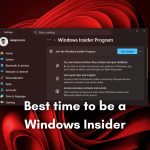
At the moment, this redesign is being tested in preview builds. Download Windows 12 Iso often uses its Insider Program to experiment with new features before rolling them out to the public.
This means not all users will see the changes immediately. Some features may evolve based on feedback, while others could be refined or even removed.
Testing phases like this are crucial. They allow Microsoft to understand how real users interact with the new design and make adjustments accordingly.
Potential Challenges and User Concerns
Every redesign comes with its own set of challenges. While many users welcome improvements, others may find it difficult to adapt to changes.
One common concern is the learning curve. Even small changes in layout can feel unfamiliar at first. Users who rely on muscle memory may need some time to adjust.
There is also the question of customization. While the new design offers more flexibility, it remains to be seen how deep those options go. Power users often expect advanced controls, and meeting those expectations can be tricky.
How It Compares to Previous Versions
Looking back, the Start Menu has evolved significantly over the years. From the classic design in earlier Windows versions to the tile based approach in Windows 10, each iteration has reflected changing user needs.
Windows 11 initially moved toward simplicity, removing some of the complexity seen in Windows 10. This new redesign builds on that foundation but adds more intelligence and flexibility.
It is not a complete overhaul, but rather a refinement. Microsoft is taking what works and improving what does not.
Expected Release Timeline
Since the redesign is still in testing, there is no official release date yet. However, features in Insider builds often make their way into major updates within months.
Users can expect a gradual rollout rather than an immediate global release. This allows Microsoft to monitor performance and address any issues before making the update widely available.
Keeping your system updated will be important if you want to experience these changes as soon as they are released.
Tips to Prepare for the New Start Menu
While you wait for the update, there are a few things you can do to prepare.
Start by organizing your current Start Menu. Remove unused apps and pin the ones you use most often. This will make the transition smoother when the new layout arrives.
You can also explore existing personalization settings. Understanding how the current system works will help you adapt quickly to the updated version.
Finally, consider joining the Windows Insider Program if you want early access. It is a great way to test new features and provide feedback.
Final Thoughts
The Windows 11 Start Menu redesign is not just about looks. It represents a shift toward a smarter, more user focused experience. By combining clean design with improved functionality and AI driven features, Microsoft is aiming to make everyday tasks easier and more efficient.
While it may take some time for users to adjust, the changes appear to be moving in the right direction. A more flexible layout, better recommendations, and enhanced search capabilities all contribute to a more practical Start Menu.
As testing continues, it will be interesting to see how these features evolve. For now, one thing is clear. The Start Menu is no longer just a simple launcher. It is becoming a central hub for the entire Windows experience.